Browse help topics
How to discover new opportunities with Finder
Discover festivals, organizations and new artistic opportunities with EyTour! Finder, use filters and add the most relevant opportunities to your workspace.
On this page
EyTour! Finder allows you to discover festivals, theatres, organizations and other performing arts opportunities directly from the platform.
You can explore the catalog, review information about each opportunity and add those that interest you to your workspace to start managing your contacts and artistic proposals.
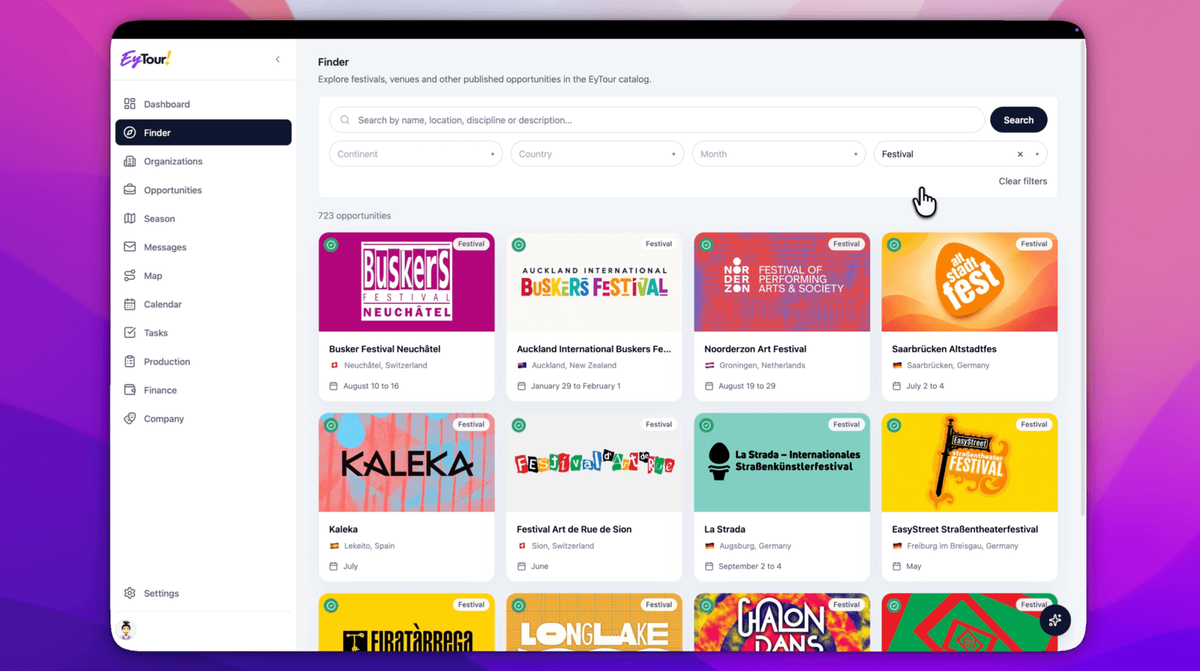
1. Open Finder
Select Finder from the EyTour! sidebar. You will find a catalog of opportunities and organizations that you can explore according to your artistic interests and professional goals.
Use the search bar to find results by name, location, discipline or description.
2. Refine your search
Use the available filters to find opportunities that match your show or upcoming tour plans:
- Country: explore opportunities in specific countries.
- Continent: expand your search to different regions of the world.
- Month: find opportunities based on the time of year.
- Category: select the type of opportunity you are interested in.
- Tags: find opportunities related to specific disciplines or characteristics.
You can combine multiple filters to get more relevant results or select Clear filters to start a new search.
3. Explore opportunity details
Select an opportunity to access its information. Depending on the available data, you can review:
- Description and location.
- Official website.
- Application and event dates.
- Previous or upcoming editions.
- Application links.
- Related organizations.
- Public information sources.
Before submitting a proposal, we recommend checking the official website to confirm dates and participation requirements.
4. Add an opportunity to your workspace
When you find an opportunity that interests you, select Add to my opportunities.
If EyTour! detects a similar opportunity in your workspace, you can link it to an existing one or create a new one.
Once added, you can access it directly by selecting View in my opportunities.
You can also add organizations to your workspace by selecting Add to my organizations.
5. Start managing your opportunities
From the Opportunities section, you can complete the information, add contacts, organize your seasons and start managing your artistic proposals.
Remember that adding an opportunity does not mean you have submitted an application. It is the first step towards incorporating it into your booking strategy and keeping track of your progress.
Tips for getting the most out of Finder
Explore different countries and disciplines, combine filters and return to the catalog regularly to discover new opportunities.
If you are planning a tour, use geographical and seasonal filters to identify opportunities that fit your itinerary.